Installation
Bike-Ly is a Progressive Web App (PWA) — you install it directly from your browser, no app store required. This keeps Bike-Ly always up to date and in sync across all your devices.
You can use Bike-Ly in any browser or install it like a native app. An app store is not required.
Android
- Open app.bike-ly.de in Chrome
- Tap Menu → Add to Home screen
- Confirm with Install
iOS (Safari)
- Open app.bike-ly.de in Safari
- Tap the three dots next to the address bar
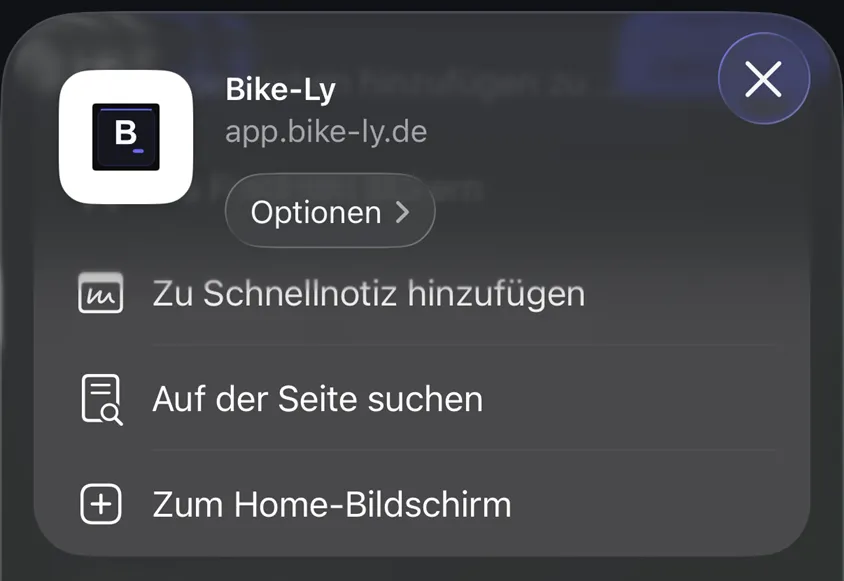
- Tap the Share icon (square with an arrow pointing up)
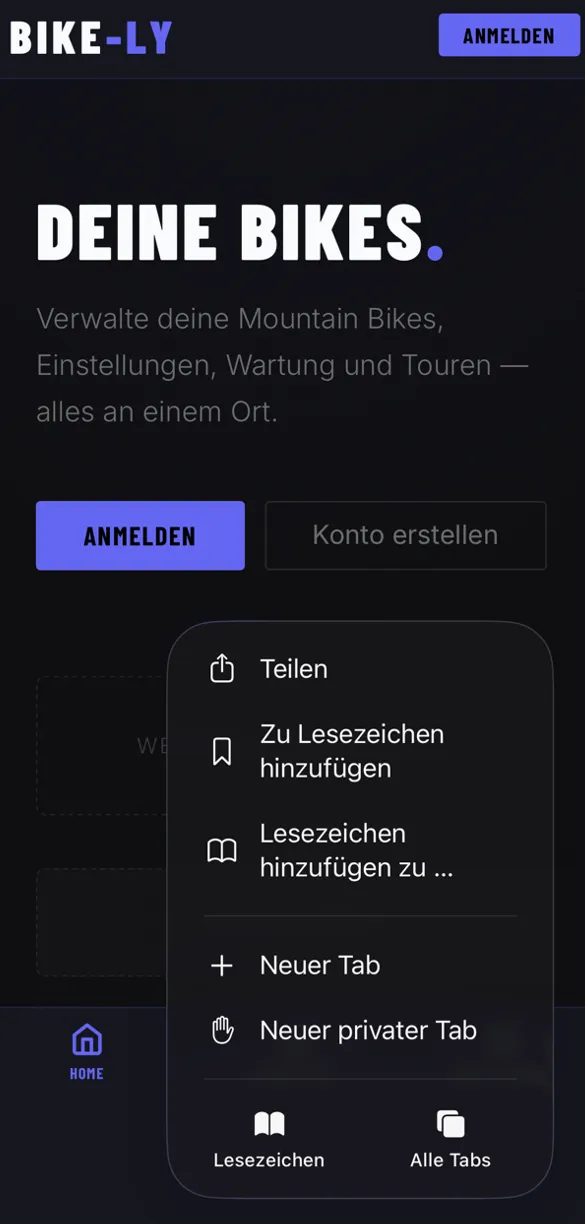
- Select Add to Home Screen and confirm
Desktop (Chrome / Edge)
Click the Install icon (⊕) in the address bar or go to Menu → Install Bike-Ly.
Browser
You can also use Bike-Ly directly in any web browser without installing it. Keep in mind that some features are only available when Bike-Ly is installed as an app.
For Firefox, there is the add-on Progressive Web Apps for Firefox, which allows Bike-Ly to be installed in Firefox as well.